
SEARCH AND LEAD MEASUREMENT GUIDE
Google Search Console vs GA4 is not an either-or choice for a service business. Search Console explains how people find a website in Google Search. GA4 explains what visitors do after they arrive. A service business needs both views, plus a simple check of whether enquiries are genuinely useful.
SHORT ANSWER
Use Google Search Console for search queries, impressions, clicks, click-through rate, average position and landing-page visibility. Use GA4 for website sessions, engagement, traffic acquisition and tracked actions such as a completed enquiry. Do not expect the totals to match exactly. They use different definitions, processing and coverage. Read them as connected evidence: Search Console shows whether the right people can discover the page, GA4 shows what happens after arrival, and the enquiry process confirms whether the contact was valuable.
The simplest way to remember the difference
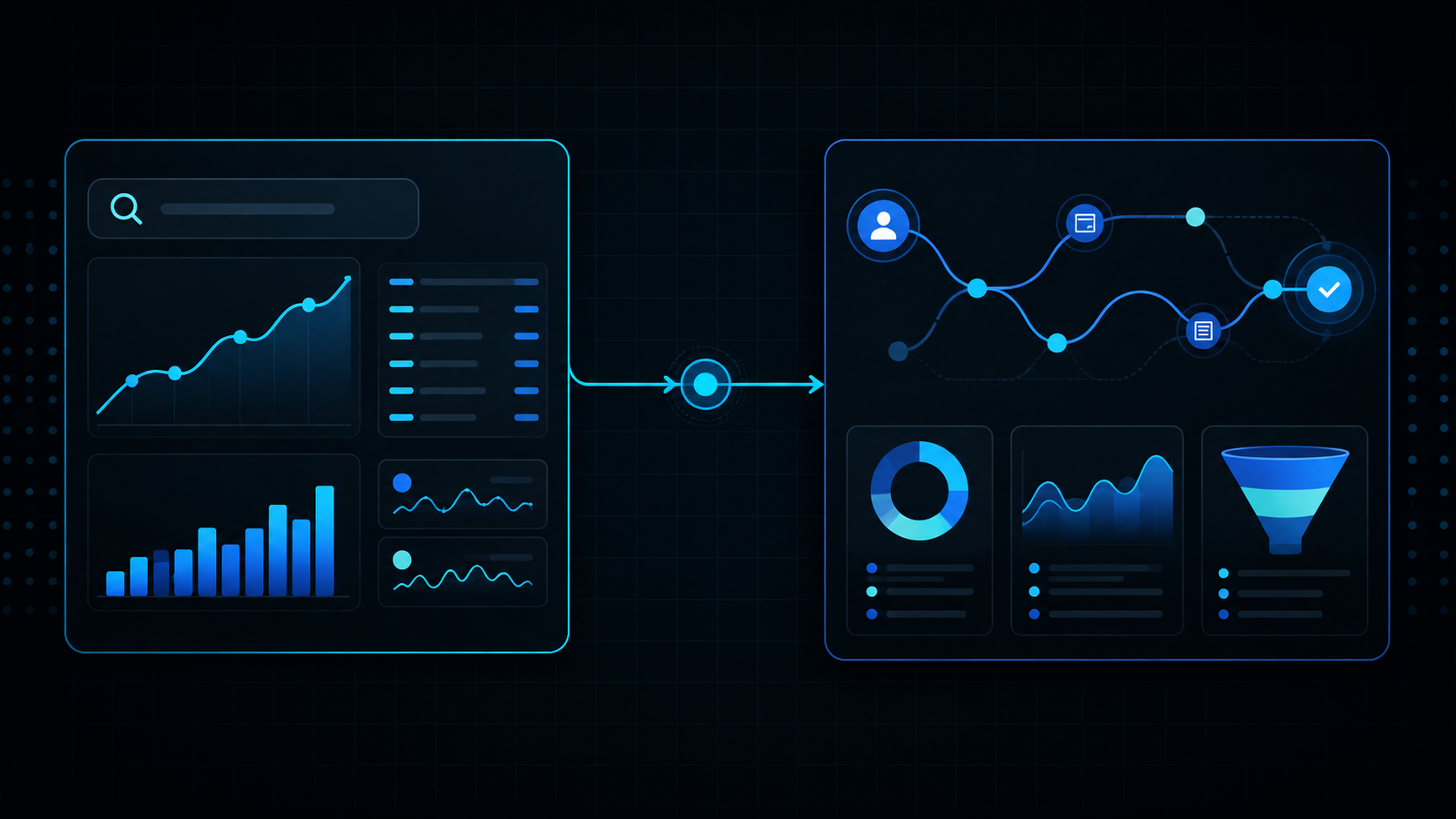
Imagine a customer journey with three checkpoints:
- Search result: Did Google show the business for a relevant search, and did the person click?
- Website visit: What page did the visitor land on, did they engage and did they move toward contact?
- Business enquiry: Did the person complete a form, call, email or other agreed route, and was the enquiry suitable?
Search Console is mainly responsible for the first checkpoint. GA4 is mainly responsible for the second. The third usually requires careful event tracking and a human or CRM review.
Google describes Search Console as a service for monitoring and improving a site’s presence in Google Search. Its Performance report includes impressions, clicks, CTR, queries and position. Google Analytics reports can show acquisition, engagement and key events after people use the website. The products can be connected, but they are not two copies of the same database.
That distinction is especially important for service businesses. A visitor who reads a guide may be valuable later but not ready to enquire. A visitor who submits a short form may be closer to a commercial conversation, but the form still needs to be reviewed for fit. No single dashboard number can make that judgement by itself.
What Google Search Console tells you
Search Console provides search-side evidence. Its Performance report can show how often a page or site appeared in Google Search, how often people clicked, the reported CTR, the average position and the queries or pages associated with the data.
For a service business, useful Search Console questions include:
- Which services are appearing in search?
- Which pages are being associated with those searches?
- Are location-sensitive searches reaching a truthful local or service-area owner?
- Which relevant queries have impressions but few clicks?
- Are informational articles helping people discover the commercial service?
- Has the visibility pattern changed after a page or internal-link update?
Search Console is useful for deciding what deserves investigation. It is not a direct record of every human search, and its average position is not a permanent live rank. Its numbers should be interpreted by page, query and period. For a practical review routine, see CitedFirst’s guide to using Search Console for a service business.
Read the official Search Console Performance report guide when you need the exact definition of a metric or dimension.
What GA4 tells you
Google Analytics 4 provides website and app measurement after the tracking tag has collected an event. For a service website, that can include page views, sessions, traffic source information, engagement and key events.
Useful GA4 questions include:
- Which landing pages receive organic visits?
- How do visitors move through the website?
- Do visitors engage with service pages or leave quickly?
- Which tracked actions happen after an organic visit?
- How many completed lead events are recorded?
- Are there differences between device types or acquisition channels?
GA4 only knows about interactions that are implemented and collected. If a phone click, email click or successful form confirmation is not tracked, the absence of an event does not prove that no one contacted the business. Likewise, a tracked CTA click is not the same as a completed enquiry.
For lead reporting, Google provides a lead acquisition report that uses acquisition and key-event information. Use the documentation and the site’s actual implementation together; do not label an event as a sale unless the business has a reliable sales system connected to it.
Why Search Console and GA4 will not match exactly
It is normal for Search Console clicks and GA4 organic sessions not to match one-for-one. Google lists several reasons for differences between Search Console and other tools, including different URL coverage, processing, privacy treatment and the fact that analytics tracking depends on JavaScript and user consent.
The tools also describe different events. A Search Console click is a click from a Google service to the website property. A GA4 session depends on the analytics tag loading and starting a session according to its settings. A visitor may click but leave before analytics loads, decline analytics cookies, use a browser configuration that limits collection or trigger a session that is grouped differently.
The correct response is not to force the totals to be identical. Instead, use each tool for the question it can answer best.
| Question | Best starting point | Useful follow-up |
|---|---|---|
| Which searches show the site? | Search Console | Group by query and page relevance |
| Which page receives search visibility? | Search Console | Check page ownership and intent |
| Which landing pages receive organic visits? | GA4 | Compare with Search Console page data |
| Did a visitor complete a tracked form? | GA4 key event | Check the actual enquiry record |
| Was the enquiry suitable and progressed? | Business records | Review source, fit and outcome |
Use Search Console for discovery decisions
Search Console should guide decisions about search relevance and page ownership. Start with a page that has a real business role, such as a bathroom installer service page, an event management owner or a location page with genuine operating-area substance.
Review the page’s queries and ask:
- Does the page appear for the service it actually provides?
- Does the query suggest early research or a request for a provider?
- Is another page receiving the visibility instead?
- Are impressions growing without clicks because the page is too low, unclear or mismatched?
- Would an internal link from a relevant guide make the relationship clearer?
This avoids turning GA4 engagement data into an SEO content plan without first checking whether the right search demand exists. A page with a long average engagement time may be useful, but it still needs to be discoverable for the correct audience. A page with many impressions may need a clearer result package before analytics has enough visits to tell a story.
CitedFirst’s existing SEO versus local SEO guide explains the broader distinction between organic and local discovery. Search Console helps you observe that distinction in the website’s own data.
Use GA4 for on-site behaviour decisions
Once a visitor arrives, GA4 can help identify where the website experience supports or interrupts the journey. Review behaviour by landing page and acquisition context where the data is available.
For a service page, useful checks include:
- Does the page receive organic landing visits?
- Do visitors reach a form, phone link, email link or consultation route?
- Are there repeated visits to important information pages before an enquiry?
- Do mobile and desktop visitors behave differently?
- Are key events firing only after a genuine completion state?
Do not interpret engagement rate as a quality score by itself. Someone may spend time reading because the content is useful, because they are confused or because they left a tab open. Combine behaviour metrics with the page content and the actual enquiry process.
For CitedFirst, the completed Free Visibility Plan confirmation is the strongest website conversion signal in the current setup. The generate_lead key event should represent a successful form journey to the confirmation page. A free_visibility_plan_click event is useful for measuring an earlier CTA interaction, but it should remain separate from the completed lead event.
Use business records for lead quality
Analytics can count events. It cannot know whether an enquiry matches the service, operating area, budget, timescale or decision-maker status unless that information is collected and connected responsibly.
A simple enquiry review can record:
- Which page or route led to the contact.
- Whether the request fits a service the business provides.
- Whether the requested area is genuinely served.
- Whether contact details are usable.
- Whether the enquiry progressed, was declined or needs follow-up.
Keep personal information out of analytics event parameters. Use aggregate reporting and the business’s approved enquiry process. The goal is to improve the customer route and content decisions without sending personally identifiable information to analytics.
A practical weekly view for a service business
A weekly dashboard does not need dozens of charts. A simple review can keep the two platforms in their proper roles.
- Search Console discovery: review important pages, relevant queries, clicks and impressions.
- Search diagnosis: identify one page with a clear opportunity, such as relevant visibility but weak click-through.
- GA4 landing-page view: check organic visits to that page and the next actions recorded.
- Lead check: compare completed
generate_leadevents with the actual enquiries received. - Decision: improve the page, link to it, fix measurement or leave it alone until more data exists.
Keep a change log. Record the date, page, evidence, action and review date. This makes it possible to distinguish a content improvement from a tracking change or a seasonal movement.
Examples of how to read both tools together
Example: high impressions, few clicks, no GA4 visits
Search Console suggests that the page is appearing but not winning visits. Check query relevance, position and search-result wording first. GA4 cannot diagnose a page that receives no measured arrivals. The next action may be clearer packaging or stronger relevance, not a conversion redesign. For the detailed diagnosis, see why Search Console can show impressions but no clicks.
Example: organic visits, strong engagement, no leads
Check whether the page is informational and whether a relevant next step is visible. Review the form, phone and email routes, but do not assume that no recorded lead means no one contacted the business. Confirm the tracking and check inbox or CRM records.
Example: many CTA clicks, few completed leads
A CTA event may show interest, but the form journey may be unclear, too long or technically unreliable. Test the form yourself, check the confirmation route and compare events with actual submissions. Treat CTA clicks as an earlier step in the funnel.
Example: GA4 organic sessions rise while Search Console clicks do not
Check date ranges, channel definitions, consent, URL scope and reporting delay. Other organic sources or classification differences may be involved. Do not claim that one platform is wrong before checking the definitions and filters.
What to put in a simple monthly report
A useful report can fit on a few pages. Start with the reporting period and a short note about anything that changed, such as a new service page, a campaign, a tracking update or a seasonal closure. Then show the Search Console view for relevant queries and landing pages, followed by the GA4 view for organic landing visits and meaningful events. Finish with the enquiry review: how many contacts were received, how many fitted the service and what follow-up is still needed.
Use a table with columns for page, search signal, website signal, lead signal and next action. For example, a bathroom installation page may have growing service-related impressions, a small number of organic visits and one completed enquiry. That is a better decision record than a single site-wide traffic total because it preserves the relationship between the page and the business outcome. It also makes uncertainty visible: if tracking is incomplete or the number of enquiries is small, say so. The next step should lead to a useful enquiry route, such as the website enquiries guide for service businesses.
When the two platforms give an incomplete picture
Sometimes the correct conclusion is that more measurement is needed. If the form confirmation is not reliable, do not estimate completed leads from CTA clicks. If consent prevents analytics from recording every visit, do not describe GA4 sessions as the full audience. If Search Console data is still sparse, do not treat a handful of impressions as a trend.
Document the limitation and repair the measurement at the right layer. A page can still be improved for clarity and relevance while the tracking is checked separately. This keeps content decisions moving without turning uncertain data into a confident story.
Common reporting mistakes
Using GA4 to decide which keyword a page ranks for
GA4 can show acquisition and landing-page behaviour, but Search Console is the appropriate starting point for the queries associated with Google Search visibility.
Using Search Console to claim a lead
A click is not a form submission, phone call or sale. Use a meaningful conversion event and verify the result in the business process.
Comparing unlike time periods
Seasonality, campaigns, publishing changes and tracking changes can affect the comparison. Keep the periods and filters clear.
Counting every interaction as a key event
Key events should represent outcomes that matter to the business. A page view, scroll or CTA click can be useful supporting events without being treated as the primary lead.
Sending personal information into analytics
Do not put names, email addresses, phone numbers or message contents into event parameters. Keep analytics measurement focused on aggregate behaviour.
Frequently asked questions
Which is more important, Search Console or GA4?
Neither replaces the other. Search Console is more important for understanding Google Search visibility and queries. GA4 is more important for understanding measured website behaviour and key events. A service business needs the right tool for the question it is asking.
Why are Search Console clicks higher than GA4 organic sessions?
The tools use different definitions, processing, URL coverage and consent or browser conditions. A click may not become a measured analytics session, and the selected filters may differ. Check both setups before drawing a conclusion.
Can I use GA4 to measure SEO success?
GA4 can help measure organic visits, engagement and tracked actions after arrival. Use Search Console alongside it to understand the search visibility that preceded those visits. Then check lead quality separately.
Should every CTA click be a key event?
No. Keep the primary key event for a meaningful completed outcome, such as a successful enquiry confirmation. Track CTA clicks as supporting intent signals when they help explain the journey.
Can I connect Search Console and GA4?
Google provides an integration that can make certain Search Console reports available in Analytics. The available dimensions and data delay are limited, so continue using each platform’s native reports for detailed analysis.
What should a small business report each month?
Report relevant Search Console clicks and impressions, important queries and pages, GA4 organic landing visits and meaningful key events. Add a short review of enquiry quality. Keep the report focused on decisions rather than a large collection of numbers.
SEARCH TO ENQUIRY
Measure the journey that matters
Search visibility, website behaviour and lead quality are connected, but each needs the right evidence. Build the reporting around the service business rather than around one attractive dashboard number.
For broader search visibility support, see CitedFirst SEO Services.