
Practical AI visibility guide
How to Track AI Mentions and Citations
Use Google Search Console, GA4 and an AI monitoring tool to see three different things: where your pages appear, whether people visit, and when AI answers name or cite your business.
Start here
Three tools. Three different answers.
To track AI mentions and citations, first decide what you want to know. No single dashboard shows every answer, click and enquiry across every AI platform.
01 · Google Search Console
Was my page shown in Google’s AI results?
Its Generative AI report shows impressions for links to your site in Google AI Overviews and AI Mode. It does not count every time an AI answer names your business.
02 · Google Analytics 4
Did a visitor reach my site?
Traffic acquisition can identify some visits referred by AI services. Your lead events can show what those visitors did next. Many AI-influenced journeys cannot be identified from the referrer alone.
03 · AI visibility monitor
Did an answer name or cite us?
A specialist tool tests a chosen set of questions on supported AI platforms and records mentions, cited URLs and competitors. These are observations from its sample, not a count of every AI answer.
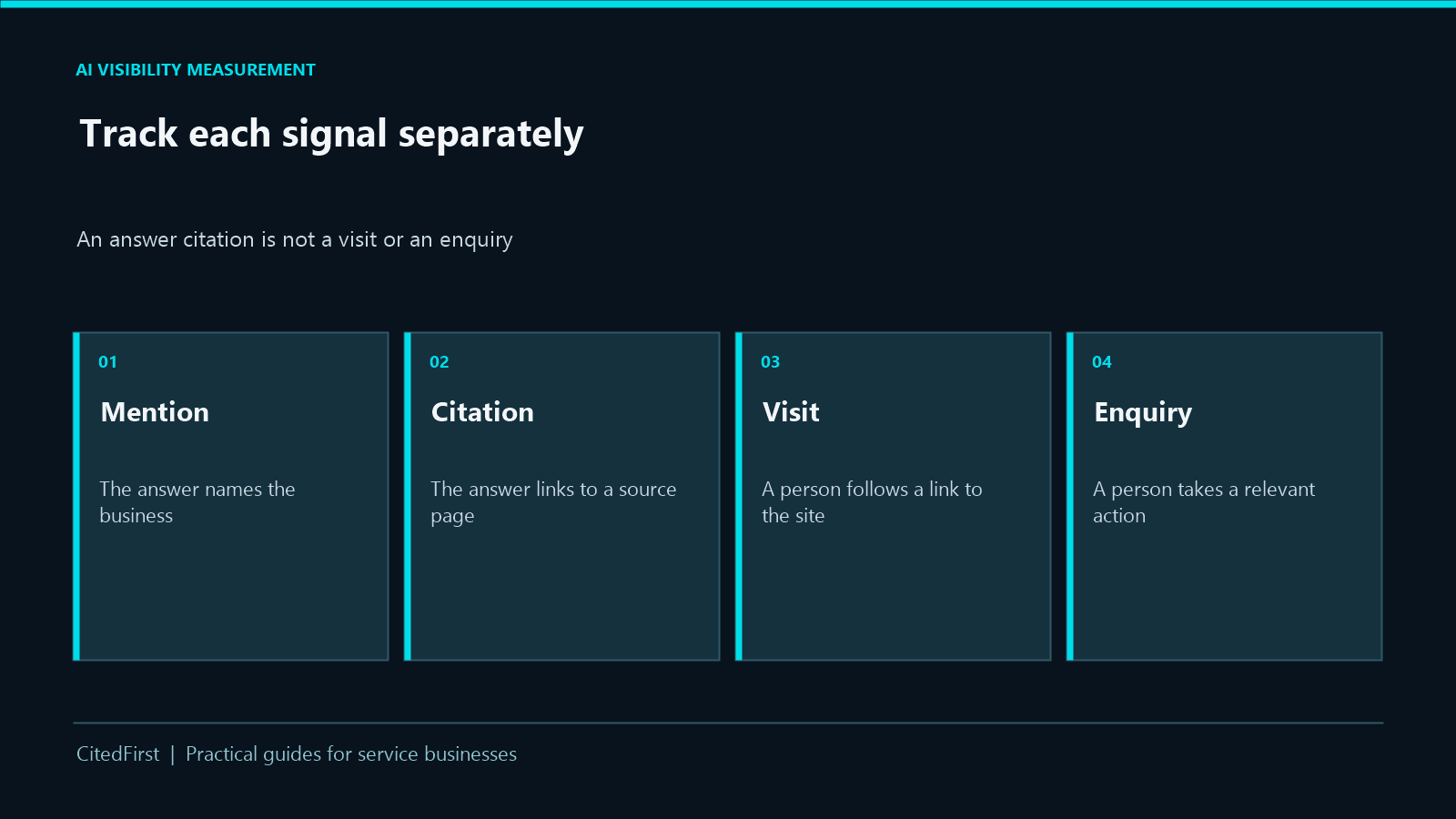
Simple rule: an impression, a mention, a cited link, a site visit and an enquiry are different events. Report them separately.
Tool 1 · Free
Check Google Search Console
Open your verified property in Search Console and look under Performance → Generative AI. If the report is available, choose a date range and review impressions by page, country, device and date. Export a baseline, then compare similar periods. Start with the pages that describe your main services.
What to record
- Total Google AI impressions for the selected period.
- Which service pages appeared most often.
- Whether the same pages gain or lose exposure in comparable periods.
What it cannot tell you
- How many times ChatGPT or other assistants mentioned you.
- Whether the answer recommended your brand by name.
- Which exact prompts produced the exposure or how many leads followed.
The report documents impressions, not AI citation counts or clicks. It may not appear for a property with insufficient data. These impressions are also included in the standard Search performance report, so do not add the two totals together.
Source: Google Search Console Generative AI performance report.
Tool 2 · Free
Check visits and leads in GA4
In Google Analytics 4, open Reports → Acquisition → Traffic acquisition. Switch the table’s main dimension to Session source / medium. Look for referrers from AI services, then inspect the landing pages and your configured lead events, such as a form submission or contact action.
A useful monthly check
- Record sessions from identifiable AI referrers.
- See which pages those visitors landed on.
- Check how many completed a real lead action.
Important limit
A visit influenced by an AI answer may still be classified as direct, organic or another source. GA4 referral figures are therefore not a complete total of AI-driven business. They also do not show every answer that named you.
If form and call tracking already work, use those existing events. Do not treat a rise in citations as proof of more enquiries without checking the enquiry data.
Tool 3 · Optional
See actual mentions and cited URLs
Search Console and GA4 cannot show a full list of how your business appears in answers across ChatGPT, Perplexity and other AI assistants. If that detail matters, test a dedicated AI visibility tool. Examples include Semrush Prompt Tracking, Ahrefs Brand Radar and Peec AI. Their supported platforms, markets and plans differ; check current coverage before paying.
Set it up around your customers
- Choose your real service area and the AI platforms you want to assess.
- Add questions customers might ask about your service, not just your brand name.
- Check whether the answer names you, links to your site and describes the service correctly.
Read the result correctly
A tool may show “mentions” or “citations” for its own selected questions. That is useful for spotting patterns and pages to improve, but it is not a universal AI ranking or a census of every customer’s answer. Keep the question set and market consistent when comparing months.
You can also spot-check a few important questions yourself, but save the answer and date. Do not make business-wide claims from one screenshot.
Monthly review
Put the numbers on one simple page
Use the same date range and note exactly which source produced each number. You do not need a complicated tracking worksheet to start.
| Question | Where to check | What to report |
|---|---|---|
| Were our pages shown in Google AI results? | Search Console | Generative AI impressions and top pages. |
| Did identifiable AI visitors reach us? | GA4 | AI referral sessions, landing pages and tracked lead actions. |
| Did sampled answers name or cite us? | AI visibility tool | Mentions, exact cited URLs, platform and question set. |
| Was the answer correct? | Review the actual answers | Wrong service, location or outdated fact to fix. |
Example: If your service page gains Google AI impressions but you see no new enquiries, improve the page and check the visit and lead journey. Do not present impressions as sales.
What to do next
Use findings to improve the right page
Wrong service details?
Correct your service page first. Make the work, service area and next step easy to understand. Check other public profiles for conflicting information.
Cited but not visited?
Check whether the cited page gives a useful answer and a clear next action. A citation alone does not prove a click.
Visits but few enquiries?
Review the landing page, contact route and lead tracking. The issue may be conversion, not visibility.
For the difference between traditional search and AI answers, read our AI visibility versus SEO guide. For help improving answer-ready service pages, see GEO Services. Structured data has a role, but schema alone is not an AI visibility strategy.
AI visibility tracking FAQs
Can Search Console show my ChatGPT mentions?
No. Its Generative AI report covers linked impressions in Google’s AI Overviews and AI Mode, not mentions on every AI platform. Use a suitable monitoring tool to inspect sampled answers elsewhere.
Does the Google AI report show clicks or citations?
Google currently documents impressions and page-level breakdowns for this report. It is not a click report or a count of brand mentions and citations.
How do I see which page an AI answer cited?
Open the answer itself or use an AI visibility tool that records source URLs. Check the exact URL and the platform; do not assume a mention includes a link.
Do more AI mentions mean more customers?
Not automatically. Check identifiable visits and actual enquiries in GA4 and your lead records. Compare similar periods and remember that not every AI-influenced visit can be attributed.
Put the evidence to work
Find out what to improve first
We can review your Search Console, analytics and relevant AI-answer observations, then identify clear page and enquiry-journey priorities.